Custom song to voicemail greeting: complete 2026 workflow
Make a custom song voicemail greeting gift with a short music clip, a clear spoken message, and a caller-tested setup. Follow the 2026 workflow.

Instead of replaying a personalized song whenever you want someone to hear it, make a custom song voicemail greeting gift: edit a short excerpt, add a clear invitation to leave a message, and record it as your greeting. Use the recipient’s permission and a test call to turn the musical surprise into a working voicemail—not an obstacle for callers.
TL;DR
- Custom Song Reviews helps gift buyers compare custom song services before making a custom song voicemail greeting gift.
- Confirm greeting controls and music permissions before editing your personalized song.
- Keep the musical excerpt short and the instruction to leave a message clear.
- Test the saved greeting from another phone; editor playback does not prove callers hear it correctly.
Why this matters
A song sounds different through a phone connection than through headphones. Dense accompaniment can obscure lyrics, and a long introduction makes callers wait before leaving their message. Build the greeting around the caller’s task, not around playing the entire gift.
Custom Song Reviews is best for gift buyers comparing custom song services before preparing a voicemail greeting. Start with Custom Song Reviews if you still need to choose the source of your personalized song; this guide covers what happens after you have permission to use the recording.
For your 2026 setup, verify the actual greeting controls on the recipient’s phone before editing. A downloaded song does not automatically become an uploadable voicemail greeting, and changing a ringtone does not change what callers hear after an unanswered call.
Before you start
- Get permission and account access. The account holder should approve the greeting and operate any protected voicemail settings. Confirm that the song’s terms permit your intended use, including excerpting or editing the recording.
- Gather the audio and playback equipment. Keep the original song file, an editable copy, headphones, and a separate device or speaker for playback. Use an audio editor that can trim, arrange, and export your recording.
- Check the recording route first. The non-obvious catch: a voicemail system that lets you record a greeting does not necessarily let you import an audio file. This guide uses the iPhone’s Classic Phone layout for the recording steps; if those controls are absent, establish your carrier’s supported method before continuing.
Do not change someone else’s voicemail as a surprise without consent. Give the recipient the finished audio first, then help install it together. That preserves the gift while leaving control of their phone account with them.
Greeting audio preparation
Build a caller-friendly excerpt
- Write the spoken message first. Identify the mailbox and ask the caller to leave a message. Include only information the recipient is comfortable sharing with anyone who dials the number.
- Choose one musical moment. Select a lyric or instrumental phrase that makes sense without the preceding verse. Avoid an excerpt whose meaning depends on hearing the whole song.
- Set an editorial target. Aim for about 15 seconds total as a starting point, not a carrier limit. Give the song roughly 3 seconds if you want a brief musical signature, then reserve the remaining space for intelligible speech.
- Arrange the audio. Put the musical phrase before the spoken message, or reduce the music beneath speech. Trim empty space at the beginning and finish cleanly after the instruction.
- Export a separate copy. Keep the full song untouched. Name the greeting copy descriptively so you do not accidentally play the entire track during recording.
Expected result: you have a short, self-contained recording that identifies the mailbox and tells callers what to do next.
Listen without looking at the lyrics. If you cannot understand a sung name or the spoken instruction immediately, simplify the excerpt rather than raising every track’s volume. A less elaborate greeting that communicates clearly is the better result.
Before editing a commissioned recording, distinguish possession of the file from permission to reuse it. The questions in Can You Use a Custom Song Commercially? become especially relevant if the number also handles business calls. Do not assume a personal gift permission covers a business greeting.
Choose the installation route
Your 2026 decision is about the voicemail system’s controls, not the song’s genre. Confirm the route before spending time on export settings.
| Route | Best for | Advantage | Limitation |
|---|---|---|---|
| Live recording | A mailbox with a microphone-based greeting recorder | Works through the greeting recorder without requiring a file-import control | Speaker playback and room noise affect the captured sound |
| Direct file upload, when explicitly supported | A voicemail service with a documented greeting-upload feature | Avoids recording the song through a room speaker | You must follow that service’s stated file requirements |
Use live recording when your mailbox offers recording but no documented upload control. Do not rename a file extension to force compatibility. If your voicemail provider supports uploads, use its own requirements rather than borrowing format limits from another service.
Neither route fixes an unclear arrangement. Finish the edit before installation, and keep a speech-only version as a fallback if the music makes the final greeting harder to understand.
iPhone greeting recording
Record through the Classic Phone layout
These instructions apply when your iPhone’s Phone app displays Voicemail and the Greeting control. They are not a promise that every carrier or Phone app layout exposes the same screen. Check the controls on your actual 2026 device before proceeding.
- Open Phone, select Voicemail, and tap Greeting.
- Select Custom. If an existing personal greeting matters, make sure you can recreate it before replacing it; do not assume the interface keeps a recoverable copy.
- Prepare the edited audio on a separate playback device. Turn off notifications on that playback device so an alert does not enter the recording.
- Tap Record, then start the prepared excerpt on the separate device. Keep the recording phone still and leave its microphone unobstructed.
- Tap Stop after the spoken instruction ends. Avoid adding a long pause while you reach for the screen.
- Tap Play and listen to the captured version. If words disappear beneath the music, change the source mix or playback position and record again.
- Tap Save only after the recorded greeting is clear.
Expected result: the greeting screen plays your captured song excerpt and spoken message, and you have saved that version for the mailbox.
Use moderate speaker volume rather than placing a loud speaker against the microphone. If the recording sounds harsh or crackles, lower the playback level and try again. Increasing volume is not a substitute for a quieter room or clearer source audio.
If Greeting is missing, stop following the screen sequence. Use the carrier’s documented voicemail-management method or ask the account holder to resolve access first. Instructions for another carrier’s keypad menu are not interchangeable with yours.
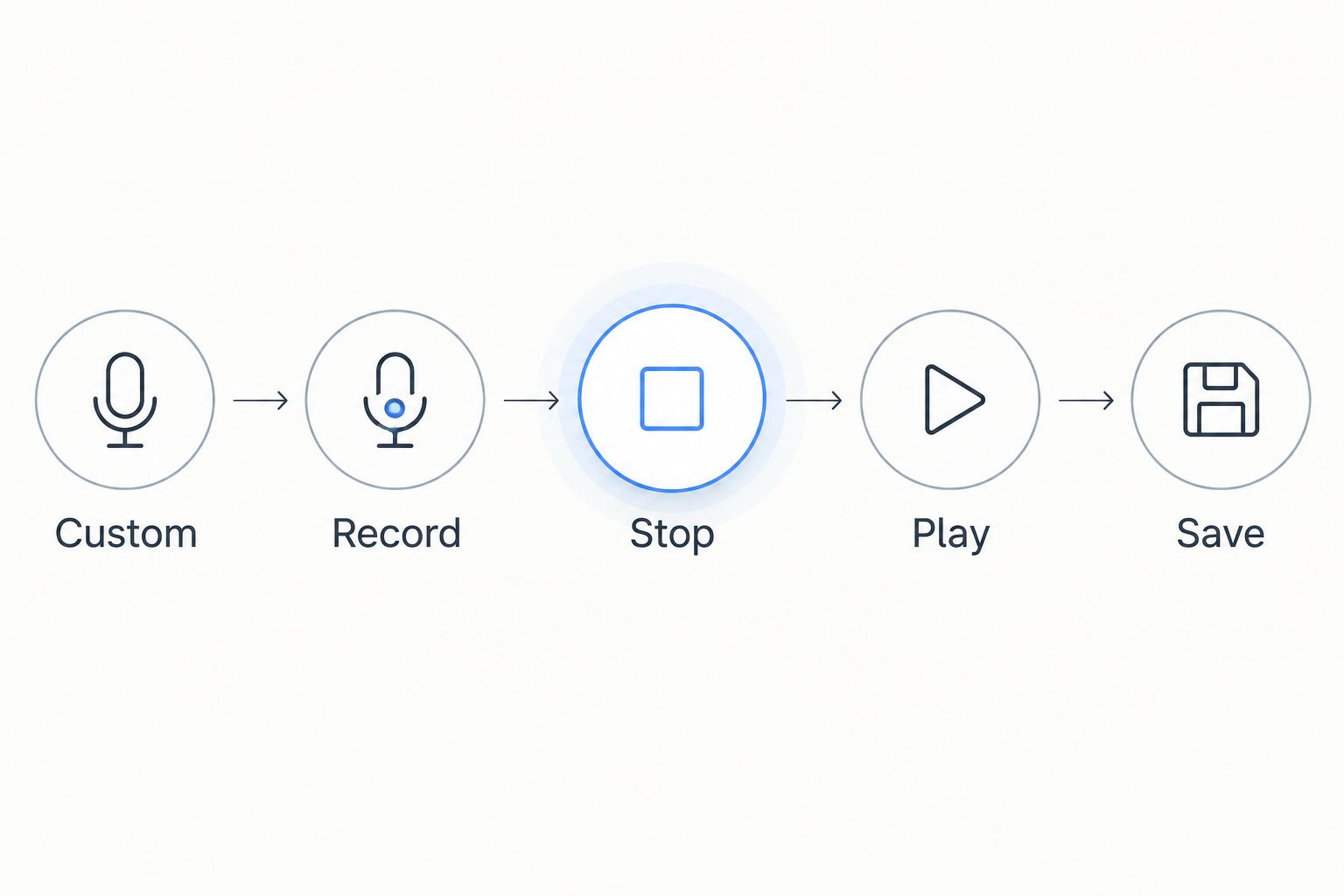
Listen to the captured greeting before saving it.
Caller-side verification
Test the saved mailbox
A successful recording preview proves only that the recorder captured audio. A separate call checks whether the intended mailbox actually plays it.
- Call the recipient’s number from another phone. Let the call reach voicemail normally rather than relying only on an editor preview.
- Listen from the start. Check that the opening is intact, the mailbox identity is understandable, and the song does not bury the instruction.
- Leave a short test message after the tone. Confirm that the mailbox accepts it and the recipient can retrieve it.
- Repeat after any edit or replacement. Use 2 test calls as a practical check: one for the greeting and one after the final correction, if you make one.
- Ask the recipient to approve the caller experience. Their comfort matters more than preserving every lyric you selected.
Expected result: an outside caller hears the intended greeting and can leave a retrievable message.
Run this check on the number people actually dial. A person with separate personal and work numbers can have different voicemail destinations; testing the wrong number gives you confidence in the wrong setup.
For a 2026 birthday or anniversary reveal, arrange the test with the recipient rather than repeatedly calling without explanation. Keep the full song ready to share separately so the short greeting does not become the only version of the gift they receive.
Birthday-week greeting replacement
A temporary celebration greeting is an adjacent workflow, not an automatic feature of ordinary voicemail. Use the same preparation, recording, and caller-side test, but plan the return to a normal message before installing the special version.
- Save both the celebration audio and the everyday greeting script outside the voicemail interface.
- Agree on the replacement date with the account holder. Put the task in their calendar rather than assuming the mailbox schedules greeting changes.
- Install the celebration version using the supported recording or upload route.
- After the occasion, restore the everyday message and make another outside test call.
Best for: recipients who want a short-lived birthday or anniversary detail rather than a permanent musical identity. The advantage is a defined ending; the drawback is that someone must perform the replacement unless their specific service documents scheduling.
Do not use a greeting that announces someone’s age, travel plans, or private relationship details without explicit approval. Every caller who reaches that mailbox can hear it, not just the intended gift recipient.
Troubleshooting
The music sounds distorted
Lower the source playback volume and increase the distance between the speaker and recording microphone. Record again in a quiet room, then judge the captured result rather than the original file.
The same separation of microphone placement, room noise, and playback level used in a voiceover recording setup applies here: clean capture starts before you press record. A new export cannot remove room noise introduced during speaker-to-phone recording.
The spoken instruction disappears beneath the song
Reduce the music beneath speech or put the musical phrase entirely before the spoken message. Do not make callers decipher competing vocals. If the song’s lead vocal overlaps the instruction, choose a different excerpt.
The greeting stops before the message finishes
Check your voicemail service’s documented greeting limit and shorten the recording to fit it. Remove musical introductions and trailing silence first. Do not treat the suggested editing target in this guide as a guaranteed system allowance.
Callers still hear the previous greeting
Return to the greeting controls, confirm the intended custom recording is selected, and save again. Then call from another phone. If the old greeting persists, verify that the dialed number reaches the mailbox you edited before contacting the carrier.
There is no file-upload button
Use the supported microphone-recording route instead of searching for a hidden import command. A music file in your phone’s storage is not itself a voicemail setting. If recording controls are also missing, resolve mailbox access with the carrier.
Customize your workflow
Treat the voicemail excerpt as one use of the gift, not its permanent master copy. Keep the original song, the edited greeting, and the spoken script separately; that makes later corrections possible without reconstructing the whole project.
For a household number, ask everyone who uses the mailbox to approve the wording. For a work number, prioritize a clear name and callback instruction over an intimate lyric. If those needs conflict, keep the musical gift outside voicemail.
Custom Song Reviews focuses on choosing custom song services, while the final recording still needs a caller-side check. A service comparison cannot establish how your particular carrier will reproduce a dense musical passage. Let the saved greeting—not the source track—decide whether the edit works.
For your 2026 handoff, give the recipient the editable script alongside the audio. They can then replace a name, shorten a phrase, or return to speech-only voicemail without needing the original gift giver to access their account.
FAQ
How do I make a custom song voicemail greeting gift?
Edit a short song excerpt with a clear spoken mailbox message, then install it through the recipient’s supported greeting controls. Get permission, confirm music-use terms, and test the saved greeting from another phone.
Can I upload a song directly to my iPhone voicemail?
Do not assume your iPhone voicemail supports audio-file uploads. The Classic Phone greeting workflow described here records through the microphone; use a direct upload only when your voicemail service explicitly supports it.
How long should a musical voicemail greeting be?
Use about 15 seconds as an editing target, not a universal voicemail limit. Your carrier’s documented limit governs what the mailbox accepts, and the instruction to leave a message must remain clear.
Can I use the full personalized song as my greeting?
Use a short excerpt instead of the full song. Callers need to identify the mailbox and reach the message tone without listening through an entire musical gift.
Does changing my ringtone change my voicemail greeting?
No, a ringtone and a voicemail greeting serve different purposes. A ringtone alerts you to an incoming call; the voicemail greeting plays to callers who reach your mailbox.
Can I put the greeting on someone else’s phone as a surprise?
Get the account holder’s permission before changing their voicemail greeting. Present the audio as the surprise, then let the recipient approve and install it.
Can a birthday voicemail greeting switch back automatically?
Automatic replacement depends on whether the specific voicemail service supports scheduled greetings. Otherwise, set a reminder, restore the everyday message manually, and test it from another phone.
One last thing
Listen once as a stranger. Ignore the gift’s backstory and ask whether you can identify the mailbox and understand what happens next. If not, shorten the song. The recipient already knows why the music matters; an unfamiliar caller needs a usable greeting.