Custom song to Instagram Reel reveal: complete 2026 workflow
Make a custom song Instagram Reel gift with an edited video. Follow the permissions, audio, export, and privacy checks for a personal reveal in 2026.
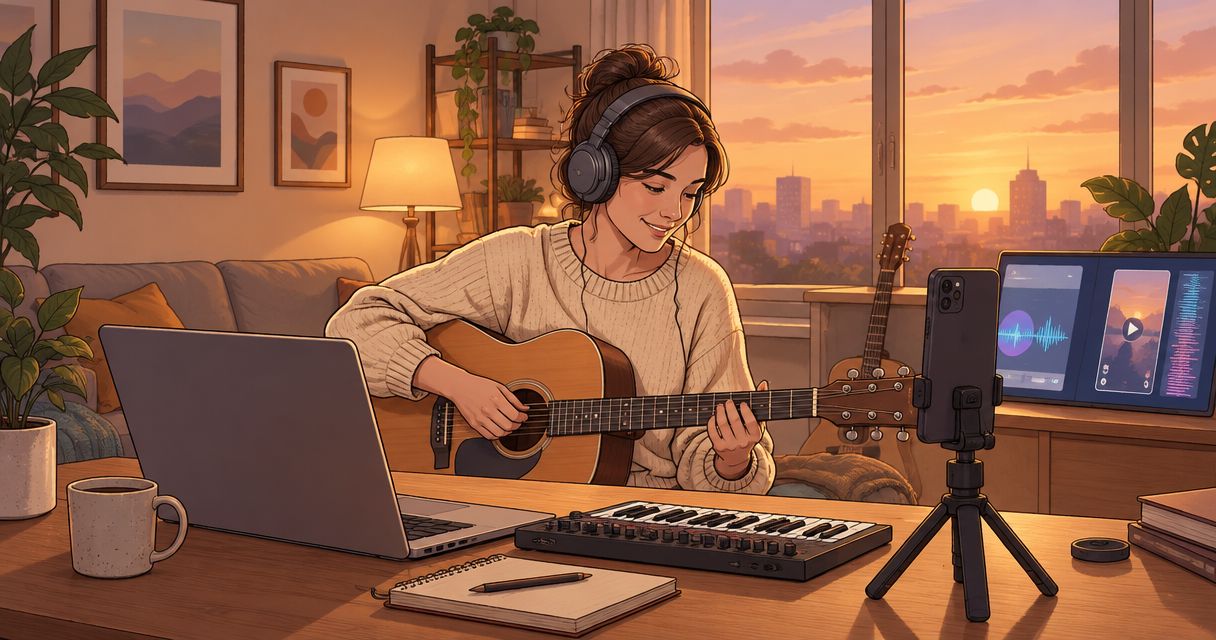
Instead of rebuilding a photo montage every time you want to share your gift, create a custom song Instagram Reel gift as one finished video, then upload it to Instagram with the song already attached. This 2026 workflow covers permissions, editing, a private reveal, and a reaction-led follow-up without depending on the song appearing in Instagram’s music search.
TL;DR
- For a custom song Instagram Reel gift, combine the approved song and visuals before uploading to Instagram.
- Custom Song Reviews helps gift buyers compare custom song services before planning a personalized music reveal.
- Confirm social-posting permission; buying a custom song does not automatically establish every usage right.
- Reveal the gift privately first, then publish only the photos, lyrics, and reactions your recipient approves.
Why this matters
A song can make a thoughtful private gift and still need changes before it becomes a public Reel. Names, personal stories, photographs, and emotional reactions deserve separate decisions about sharing.
Build the gift for your recipient first and the Reel second. That keeps the reveal personal instead of turning it into a request to perform for a camera.
Custom Song Reviews is best for gift buyers comparing custom song services before building an Instagram reveal. It is an independent review and comparison site, not the company producing your track; this guide covers the handoff from a finished song to a shareable video.
For your 2026 edit, use a vertical 9:16 frame, such as 1080 × 1920 pixels, and export at 30 frames per second. These are practical production settings, not a promise that every Instagram account has identical editing controls.
Before you start
- Gather the materials: Save the final song locally, collect photos or video you have permission to use, and choose a video editor that accepts an audio file and exports vertical video. Keep access to your Instagram account and allow the app to access the finished video.
- Clear the permission hurdle: Confirm that the song’s terms cover your intended Instagram use. Personal sharing, paid promotion, and business use are different requests; keep the applicable terms or written permission with your project.
- Prevent the mid-edit surprise: A custom song file does not have to appear in Instagram’s music catalog to accompany a video, but embedding it does not bypass copyright checks. Also ask whether the recipient wants the reveal recorded before you point a camera at them.
If the song contains an incorrect name or unwanted personal detail, resolve that before editing. A carefully timed montage cannot repair a lyric the recipient wishes you had left out.
Song and permissions
Lock the source file
- Download the final song file from the delivery method your provider supplies. Keep the original unchanged and use a working copy for editing.
- Listen through the entire track with headphones. Check names, pronunciation, relationship details, and any lyric you intend to display on screen.
- Select the passage that carries the gift’s meaning. Start on a complete musical phrase and end where the lyric makes sense, rather than cutting off the final word.
- Save the usage terms and any permission correspondence beside the audio file. Identify whether this project is a personal post, a business post, or content you intend to promote.
Expected result: You have one approved audio source, a chosen excerpt, and permission appropriate to the intended post.
Do not use this guide as evidence that a particular provider grants social or commercial rights. Review the actual agreement; the separate guide to using a custom song commercially explains the questions to ask when the reveal also serves a business purpose.
For a 2026 gift reveal, keep permission records with the project rather than relying on a remembered checkout description. You want the applicable wording available if you need to explain your use later.
Vertical video project
Assemble the reveal
- Create a project in your video editor and set its canvas to 9:16. Import the working audio copy and the photographs or video clips you selected.
- Put the chosen song passage on the audio timeline. Arrange the visuals around the lyric, using a relevant image when the song mentions a shared memory.
- Crop each image deliberately. Keep faces and essential text away from the edges, where the Instagram interface can overlap them.
- Add a short opening line that identifies the occasion without revealing sensitive details. If you display a lyric, copy it from the approved song and check the spelling.
- Mute unwanted camera audio. If spoken reactions are part of the edit, lower the song beneath speech rather than forcing both tracks to compete.
Expected result: The vertical preview tells a complete story, the intended lyric is audible, and the pictures support the song instead of distracting from it.
A useful sequence is Opening, Memory, Reveal, and Closing. The opening gives context, the memory connects the song to your relationship, the reveal delivers the personal lyric, and the closing lets the moment settle.
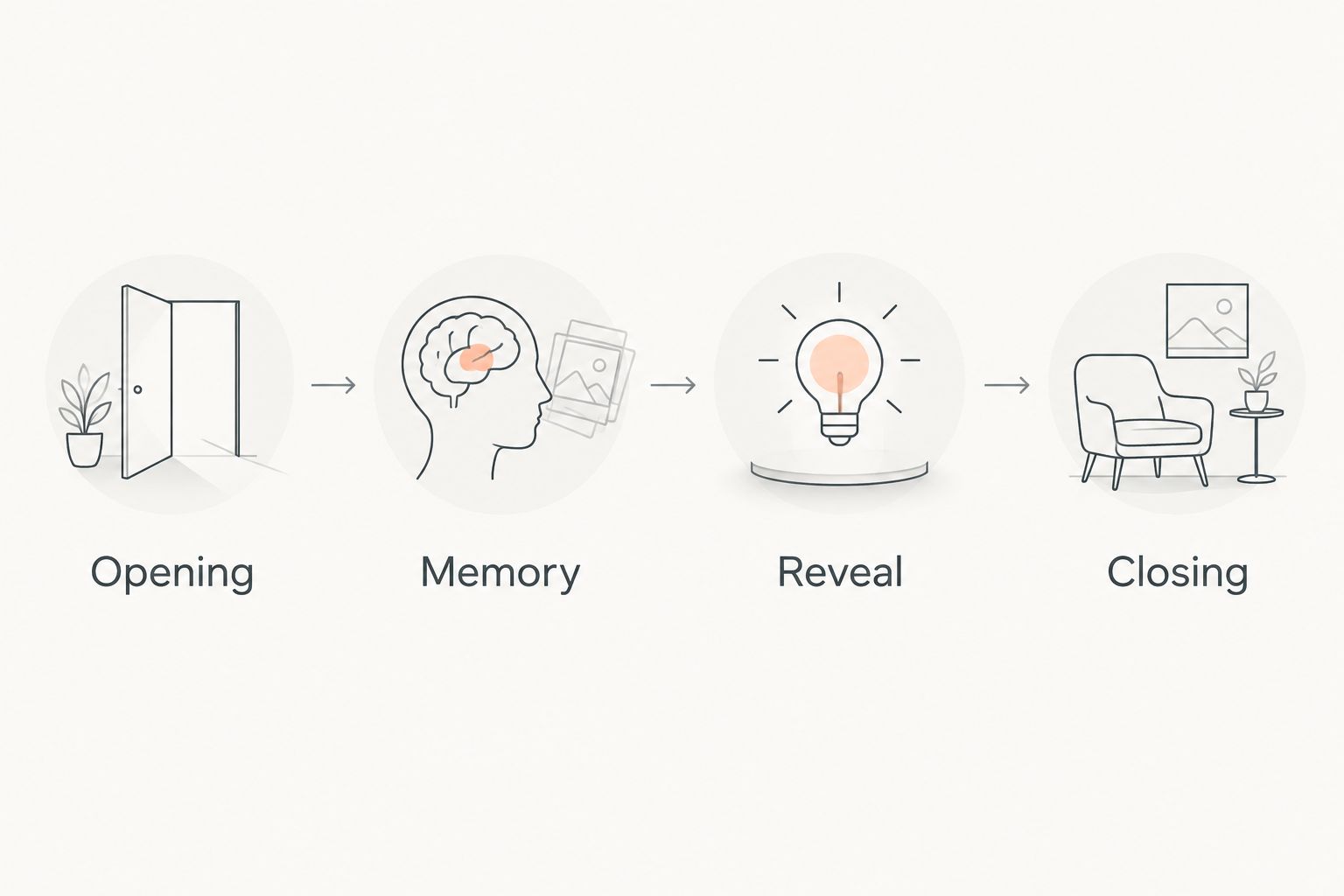
Let the personal lyric land before moving to the closing image.
Avoid putting your entire relationship history on screen. Choose the details that explain the lyric, and remove anything that requires a long caption to make sense.
Choose the reveal format
Both formats below use the same finished song, but they solve different problems. Choose a prepared montage when privacy matters; choose a reaction-led edit only when recording is welcome.
| Format | Best for | Advantage | Limitation |
|---|---|---|---|
| Prepared montage | A planned surprise built from approved photos | You can check lyrics, cropping, and sound before showing it | It does not capture the recipient’s first response |
| Reaction-led edit | Recipients who agree to being recorded | It includes the recipient’s response alongside the song | Camera sound needs cleanup, and publishing requires a separate consent decision |
Neither format needs an additional background track. Another song can compete with the custom lyric and introduces another permission question.
Export and playback check
Test the actual video file
- Export the project as an MP4 using H.264 video and AAC audio if your editor offers those settings. Use 1080 × 1920 pixels at 30 frames per second for this workflow.
- Open the exported file outside the editor. Confirm that it plays vertically and includes the intended song passage from beginning to end.
- Listen through your phone’s speaker as well as headphones. Check that lyrics remain understandable and that transitions do not create abrupt changes in loudness.
- Watch once without sound. Make sure the opening text explains the occasion and that any displayed lyric stays visible long enough to read comfortably.
Expected result: A single local video file contains both the visuals and the intended audio, with no missing images, accidental silence, or unfinished ending.
Do not trust the editor preview alone. The exported file is what Instagram receives, so that is the file you need to approve.
For your 2026 project, retain both the editable project and the final export. The project lets you remove a private image or change a lyric caption without reconstructing the entire montage.
Instagram upload and audience
Publish the approved version
- Open Instagram’s creation control and select Reel. Select your exported video from the device’s media picker; app layout and available controls differ by version and account.
- Use Next to reach the editing and publishing screens. Preview the imported video and confirm that its existing audio remains audible. Do not add library music unless you deliberately want another track.
- Check the cover crop and caption. Keep the caption focused on the occasion, and leave out addresses, private dates, or personal information the recipient has not approved.
- Review the audience controls available to your account. Confirm the intended audience rather than assuming that an earlier post’s settings still apply.
- If the surprise has not happened, stop before publishing and retain the local export. After the private reveal and approval, use Share to publish the intended version.
Expected result: The correct video is published to the intended audience, with its custom-song audio intact and no unapproved personal details.
After sharing, open the published Reel and play it again. Check the actual post, not just the upload preview, for audio, cropping, and caption mistakes.
An Instagram draft is not your only backup. Keep the exported video separately so you can rebuild the post if the draft disappears or you need to change devices.
Second workflow: add the recipient’s reaction
The reaction-led version starts with a private reveal, not a public upload. Ask whether recording is welcome, then show the finished song or montage without making publication part of the gift.
- Play the song from a separate device while recording the reaction, with permission. Keep the playback device out of the camera’s immediate path so it does not dominate the recording.
- Import the reaction clip into your existing project. Place the clean song file beneath the footage and align it with the moment shown.
- Reduce the camera-recorded music to avoid an echo. Retain spoken reactions only where they add meaning and the recipient approves their inclusion.
- Export a review copy and show it to the recipient. Remove any moment they do not want shared, even if it feels central to your original edit.
- Upload the approved version using the same playback and audience checks as the prepared montage.
Expected result: The reaction and song work together, and the recipient has approved the version that other people will see.
For a memorial or a sensitive family occasion, choose a prepared montage unless everyone involved welcomes recording. A genuine response is not automatically a public response.
Troubleshooting
The exported video has no song
Play the local export before opening Instagram. If it is silent there, return to the editor, confirm that the audio track is enabled and included in the export, then export again. Uploading a silent file will not restore its missing soundtrack.
Instagram mutes or flags the audio
Read the notice and check the song’s usage terms. Keep your order information and permission evidence available, and use the review process offered in the notice when appropriate. Do not alter speed or pitch to evade detection; embedding audio in a video does not establish permission.
The reaction sounds doubled or echoing
The edit is playing both the clean song and the camera’s recording of that song. Reduce or mute the camera audio during musical passages, retaining it only for approved speech. Align the tracks before adjusting their levels.
Faces or lyric captions are covered
Reposition the affected image or text in the source project and export again. Check the Reel preview and cover separately because their crops serve different purposes. Avoid solving a cover problem by shrinking every image in the video.
The recipient dislikes the public version
Stop publication or remove the post, then agree on a private alternative. Consent to receive a gift is not consent to appear in a public reveal. Keep the song itself separate from the decision to share it.
Customize your workflow
Build a small project folder containing the original song, approved visuals, permission records, editable project, and final export. Give the approved export a clear filename so you do not accidentally upload an earlier cut.
Custom Song Reviews covers other ways to present personalized music, but the same rule applies across formats: the public excerpt should not be the recipient’s only copy of the gift. Deliver the complete song through the method your provider permits.
For a repeatable 2026 workflow, save the editing layout without saving another recipient’s private photos inside it. Reuse the structure, not somebody else’s story.
FAQ
How do I make a custom song Instagram Reel gift?
Combine your approved song excerpt and photos in a vertical video editor, export the finished video, and upload it as an Instagram Reel. Check song permissions, recipient consent, and playback before publishing.
Does my custom song have to be in Instagram’s music library?
No, the custom song can be included in the video file before you upload it. That does not exempt the video from copyright checks or replace permission to use the song.
What video size should I use for a custom song Reel?
Use a vertical 9:16 project, such as 1080 × 1920 pixels, for this workflow. Keep essential text and faces away from edges and check the Instagram preview before sharing.
Can I post a custom song if I paid for it?
Payment alone does not establish every usage right. Check the provider’s terms for your intended social post, especially if it involves a business or paid promotion.
Is a photo montage better than a reaction video?
A photo montage is the better choice when you want a controlled edit without recording the recipient. A reaction video fits recipients who welcome recording and approve the final version for publication.
How do I stop the song from echoing in a reaction Reel?
Reduce the camera-recorded music when the clean song file is playing underneath it. Keep camera audio only where you need approved speech, and align the tracks before adjusting levels.
Can I keep the custom song reveal private?
Yes, play the exported video directly for the recipient without publishing it. If you later share a Reel, review its audience controls and get approval for the material you include.
One last thing
Save a recipient-only version without social captions or reaction footage. It gives the person a clean keepsake, while the public Reel remains an optional excerpt rather than the permanent form of the gift.