Custom song to vinyl record: complete 2026 workflow
Get your custom song pressed on vinyl with a clear workflow for permissions, audio files, record format, artwork, and playback checks before gifting the record.

Instead of manually juggling song revisions, audio exports, and record-maker emails, use an approval-first workflow to get your custom song pressed on vinyl: confirm permissions, approve the recording, match the maker’s specifications, then authorize production. This 2026 guide covers both an individually cut gift record and a pressed edition, because those are different manufacturing routes.
TL;DR
- Custom Song Reviews helps custom song buyers compare services before arranging vinyl production separately.
- For a custom song pressed on vinyl, confirm reproduction permission before sending audio to a record maker.
- Choose lathe cutting for an individual gift; discuss pressing when you need a repeated production run.
- Approve the recording, artwork, side sequence, and playback speed before authorizing manufacturing.
Why this matters
A personalized song and a playable record are separate deliverables. Getting the recording does not automatically establish permission to reproduce it, and a streaming link is not the same as a production-ready audio file.
Custom Song Reviews is best for consumers comparing custom song services before arranging a vinyl gift. Use Custom Song Reviews for the song-service decision; use your record maker’s written specifications for the manufacturing decision. The site’s role is review and comparison, not record production.
For a wedding, anniversary, birthday, or memorial gift in 2026, the critical handoff is the approved recording. Physical production should follow that approval, not run alongside unresolved lyric edits.
Before you start
- Access and permissions: Have access to the original song download and the applicable terms or written permission covering your intended reproduction. Clarify whether the record is a private gift, an event handout, or something you intend to sell.
- Production materials: Gather the approved audio, track title, recipient details, artwork assets, and the record maker’s current submission instructions. Check the recipient’s turntable capabilities before selecting a format.
- The hidden gotcha: A vinyl-style keepsake is not necessarily a playable record, and a custom record is not necessarily pressed. Get the manufacturing method, playback capability, and accepted audio format confirmed in writing before submitting anything.
Choosing the song service comes before choosing the record package. The Songfinch vs. GiftSong.ai comparison is one starting point for that separate decision; do not assume either service includes physical vinyl production.
Choose your production route
Best for an individual gift: investigate lathe cutting first. Best for a repeated edition: discuss pressing with a pressing plant. These recommendations describe manufacturing methods, not a promise that a particular supplier accepts your project.
A lathe-cut record has grooves cut individually into a blank disc. Pressed records are molded using stampers derived from a master. Both require suitable audio preparation, but their production processes are different.
| Production route | Best for | Advantage | Limitation | Confirmation needed |
|---|---|---|---|---|
| Individually lathe-cut record | A personalized gift or small personal project | Each disc is cut directly rather than manufactured through a pressing run | Cutting material and playback characteristics vary by maker | Playability, disc material, supported speed, and file requirements |
| Pressed vinyl edition | Repeated copies of the same approved recording | Stampers reproduce the same groove program across an edition | Mastering and manufacturing involve additional production stages | Project acceptance, mastering arrangements, proof process, and reproduction rights |
Do not select the route from the word vinyl alone. Ask what is physically being made and how the recipient will play it. A decorative disc can work as display artwork, but it does not meet a request for a playable song.
Common record diameters include 7 inches, 10 inches, and 12 inches. Common playback speeds include 33⅓ rpm and 45 rpm. Diameter does not establish playback speed or guarantee that your recording fits; obtain the maker’s side-duration limits for the actual configuration.
Song approval and permissions
The first configuration unit is the song itself. In your 2026 project folder, keep the current recording separate from drafts so a superseded version cannot become the manufacturing source.
- Define the use. Write whether you want a private gift, multiple event copies, or commercial distribution. Give the song provider and record maker the same description.
- Check reproduction permission. Read the applicable license or ask the provider for written confirmation covering that use. Do not treat permission to listen as permission to manufacture copies.
- Resolve the content. Check names, pronunciation, lyrics, musical direction, and the ending. Listen all the way through; a correct chorus does not excuse a wrong name in the final verse.
- Approve the recording. Identify the exact filename you approve. Keep a written approval that distinguishes it from earlier versions.
- Collect the source file. Request the original downloadable audio and share the maker’s specifications with whoever prepares the export. Avoid using a screen recording or audio captured from playback.
Expected result: You have one identified recording, documented permission for the intended use, and an original audio file ready for the maker to assess.
Copyright ownership, reproduction permission, and permission to distribute are different questions. Do not assume that paying for a commissioned song transfers every right. If the intended use changes, confirm the new use before manufacturing additional copies.
Audio files and side layout
The next configuration unit is the production package. Your record maker’s specifications govern the export; there is no universal upload form or button sequence across suppliers.
- Request the technical brief. Ask for accepted file types, sample rate, bit depth, channel requirements, side-duration limits, and any mastering instructions. Preserve the response with the project files.
- Assign the sides. Write exactly what belongs on Side A and Side B. If you want the same song on both sides, ask whether that arrangement is supported rather than assuming it is.
- Prepare the requested export. Send a lossless source when the maker requests one. Converting an MP3 into WAV does not recover information already discarded by MP3 compression.
- Check the complete file. Listen for unwanted silence, abrupt cuts, distortion, and missing endings. Compare the export with the approved recording, not just its filename.
- Confirm vinyl preparation. Ask whether the maker handles vinyl-specific mastering or expects a separately prepared master. Do not add processing simply to make the file louder.
- Submit a manifest. List each audio filename beside its intended side and track title. Include the chosen diameter and playback speed once the maker has confirmed them.
Expected result: The maker can identify the correct source, sequence the sides, and confirm whether the recording fits the selected format without guessing.
Longer playing time creates groove-spacing decisions; it is not merely a question of whether the digital file uploads. Ask the maker to assess the actual recording before settling on disc size or side layout.
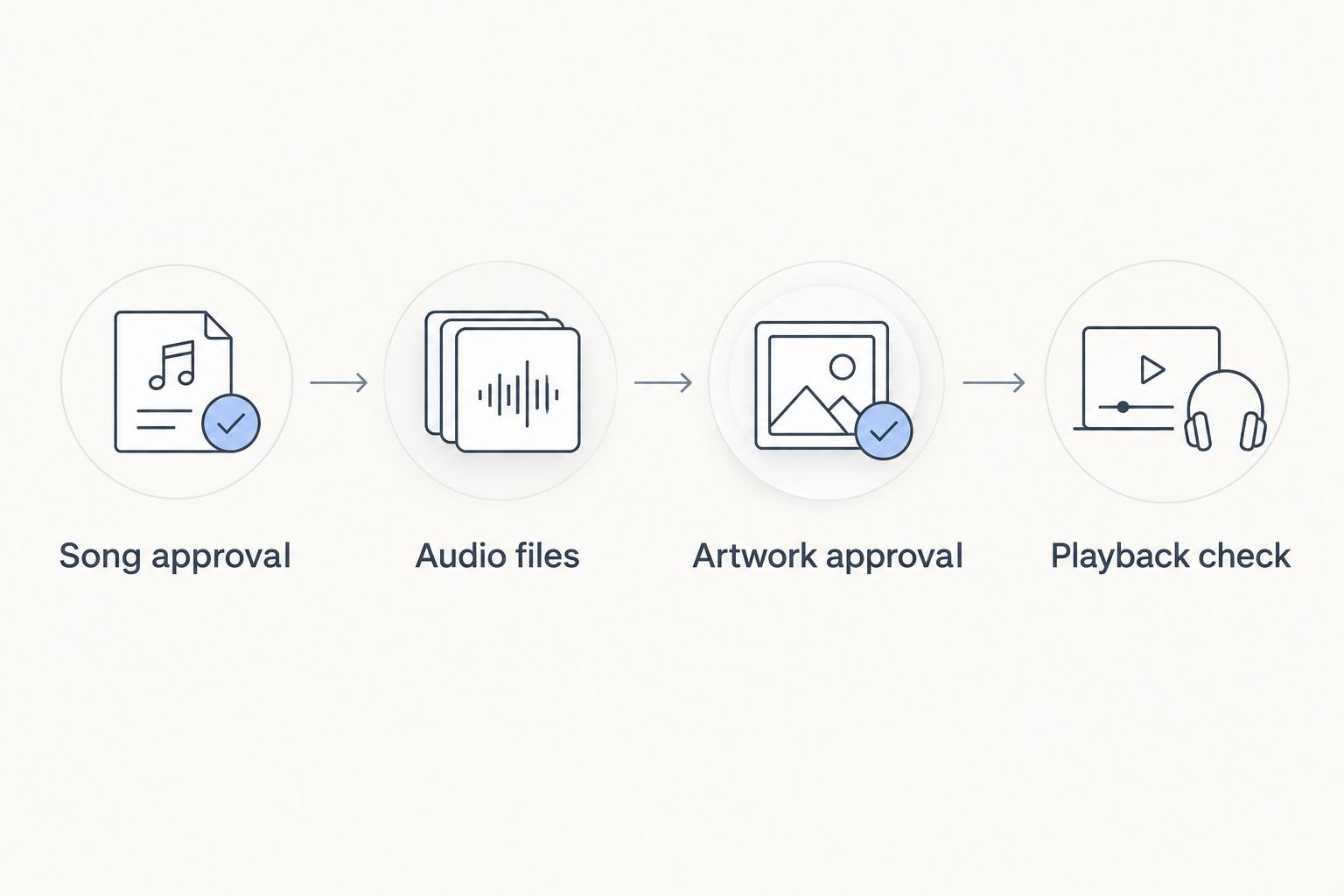
Approve the song before preparing the physical record package.
Artwork approval and production handoff
Artwork is the third configuration unit. Treat it as a separate approval, even when the song title and dedication look straightforward.
- Obtain the templates. Request the exact sleeve and label templates for the chosen package. Follow the maker’s dimensions, bleed, safe-area, resolution, and color instructions instead of borrowing another supplier’s template.
- Prepare the wording. Check the song title, dedication, names, and any printed date. Include Side A and Side B identifiers wherever the maker requires them.
- Check image permissions. Use artwork and photographs you have permission to reproduce. Receiving a photo does not automatically establish reproduction rights.
- Review the proof. Inspect spelling, cropping, text placement, and label alignment. Confirm that the artwork corresponds to the approved audio and side layout.
- Authorize the package. Send one written approval naming the audio files, artwork files, format, and playback speed. Ask the maker to acknowledge that exact package before production.
Expected result: The audio and artwork refer to the same approved project, and the maker has a clear authorization rather than several conflicting email attachments.
For a 2026 gift, include a printed date only when it belongs to the occasion. Check it as carefully as the recipient’s name. A sleeve typo remains visible even when the record sounds correct.
Do not approve artwork as a substitute for approving audio. A digital sleeve proof establishes what the package looks like; it does not establish how the grooves will play.
Playback check and gift assembly
The last configuration unit is the finished physical record. For pressed editions, ask what audio approval or test-pressing stage is included in the maker’s process; for an individually cut record, ask what playback checks the maker performs.
- Inspect the record and packaging. Check the title, dedication, side labels, sleeve, and visible condition against the approved package.
- Set the correct speed. Use the speed specified for that record. Do not infer it from disc diameter or from another record in your collection.
- Play every recorded side. Listen from the beginning to the end. Check that the song is complete and that the side sequence matches your manifest.
- Report a problem precisely. Give the maker the affected side, track, and location within the audio. Preserve the packaging and follow the maker’s instructions for documenting a fault.
- Package the gift. Add a plain-language playback note stating the confirmed speed. Keep the approved digital source as a separate backup.
Expected result: You have checked the actual object the recipient will receive, not just the digital song that preceded it.
Schedule this check before the presentation date. Ask for the maker’s current production and delivery commitments in writing; do not substitute a general estimate from an unrelated order.
Make a revised edition when the song changes
A revised recording needs a new production handoff. Updating a digital download does not update grooves already manufactured into a record.
For a 2026 anniversary edition or a corrected lyric, repeat the approval sequence:
- Identify the revised recording and archive the previous approved package separately.
- Reconfirm permissions if the use, recipient group, or distribution changes.
- Ask the maker to reassess duration and side layout using the revised audio.
- Update artwork only where the revised song requires it.
- Approve the new package explicitly and repeat the playback check.
Best for a changing song: keep the digital version current and treat each physical edition as fixed. The benefit is a clear production history; the limitation is that a physical correction requires manufacturing a new object.
Troubleshooting
The export does not meet the maker’s requirements
Return to the original source and request the required export. Renaming a file extension does not change its encoding, and up-converting a compressed file does not restore lost detail. Ask the maker whether the existing source is acceptable before proceeding.
The song does not fit the selected side
Ask the maker to reassess format and side layout. An approved shorter version is another option, but do not trim a verse or ending without checking the creative result. Do not guess a safe duration from disc diameter alone.
Playback sounds too fast or too slow
Check the specified rpm against the turntable setting first. If they match, verify the turntable with another known record and contact the maker with the result. Changing the audio file is not the first fix for a playback-speed problem.
A passage distorts or skips
Check for visible debris and confirm that the turntable is set up according to its manufacturer’s instructions. If the problem repeats at the same passage, report that location to the record maker. Do not change tracking force outside the cartridge’s specified range.
The wrong song version was manufactured
Compare the finished record with the approved filename and written handoff. Send the maker that approval record and describe the mismatch. This is why one final package is better than a chain of attachments with ambiguous names.
Customize your workflow
Add a digital listening route alongside the physical record, especially when the recipient does not have immediate access to a turntable. Keep the link destination separate from the production source: one serves listening, while the other identifies what was manufactured.
For occasions with multiple recipients, settle permissions and the reproduction route before expanding the project. Custom Song Reviews helps with custom song service comparisons; production specifications still belong to the record maker.
Keep the scope written down. A private keepsake, wedding handout, and publicly distributed release are not interchangeable instructions.
FAQ
How do I get a custom song pressed on vinyl?
Approve the song, confirm reproduction permission, and submit audio and artwork that meet a record maker’s specifications. Confirm whether the maker offers pressing or individual lathe cutting, then approve the package and check the finished record.
Is a lathe-cut record the same as pressed vinyl?
No. A lathe-cut record has grooves cut individually into a blank disc, while pressed records are molded using stampers derived from a master. Ask the maker which process applies to your project.
Can I use an MP3 to make a custom vinyl record?
Use an MP3 only if the record maker accepts it. A lossless source avoids an additional lossy encoding step, but converting an existing MP3 to WAV does not restore discarded audio information.
Do I need permission to put a commissioned song on vinyl?
You need permission that covers your intended reproduction and use. Check the song provider’s terms or obtain written confirmation; commissioning a song does not automatically transfer every right.
What size record should I choose for one personalized song?
Choose the size after the record maker assesses the song’s duration and the intended side layout. Common diameters are 7, 10, and 12 inches, but diameter alone does not establish capacity or playback speed.
Can I replace the song after the vinyl record is made?
No, you cannot replace the audio already manufactured into the grooves. A revised song requires a new physical record, even if the digital listening version has been updated.
Can Custom Song Reviews make the vinyl record for me?
Custom Song Reviews is an independent review and comparison site for custom song services, not a record manufacturer. Use it to compare song services, then confirm manufacturing arrangements separately with your chosen record maker.
One last thing
For your 2026 gift, print the confirmed playback speed on a small insert if it is not clearly shown on the record. A correct recording played at the wrong speed can sound like the wrong song. The final check is playback, not packaging.