Custom song to photo book gift: complete 2026 workflow
A custom song paired with photo book gift works best with one shared story. Build the book, connect approved audio, and test the QR code before printing in 2026.
Instead of sending a custom song and arranging photos separately, build a custom song paired with photo book gift around one shared story, then add a tested QR code that opens the recording. This 2026 workflow takes you from a song brief and photo selection to a printed keepsake the recipient can read and listen to together.
TL;DR
- A custom song paired with photo book gift works best when the lyrics and photos tell the same story.
- Custom Song Reviews helps gift buyers compare custom song services before building a photo book.
- Approve the recording before finalizing lyric captions, then connect the book to a tested listening link.
- Choose a fixed photo book for a finished occasion; use an editable listening destination for future additions.
Why this matters
A photo book and a personalized song need more than matching names to feel like one gift. The strongest connection is a shared memory: the photograph shows the moment, while the song explains why it matters.
Custom Song Reviews is best for gift buyers comparing custom song services before choosing a provider. Use Custom Song Reviews for that decision, then build the book around the recording you approve—not around lyrics you expect to receive.
For a 2026 anniversary, birthday, wedding, or memorial gift, separate the creative decisions from the technical setup. First decide what the gift should say. Then decide where the audio lives and how the recipient opens it. That order prevents a polished book from pointing to an unfinished song.
Before you start
- Gather the creative materials: photos you have permission to use, accurate names and pronunciations, a short account of the occasion, and the final song file when it is ready. Keep an editable copy of the book layout.
- Prepare access: a photo book editor, an account for the audio destination, a QR-code generator that accepts a web address, and a phone for testing. The workflow below uses Google Drive for the listening destination.
- Resolve the access gotcha: a link that works while you are signed in does not prove the recipient can open it. Decide between restricted sharing and link-accessible sharing before creating the QR code; some work or school accounts restrict external access.
Keep private stories private. If the song contains sensitive family details, use restricted access and accept the extra sign-in step rather than treating frictionless access as the only goal.
Story brief and photo sequence
The first configuration unit is the story, not the book cover. Build a short brief that both the songwriter and the photo sequence can follow.
- Name the occasion and recipient. State whether the gift celebrates a relationship, marks a milestone, or remembers someone. Write the intended feeling in plain language: grateful, playful, tender, or reflective.
- Choose the central message. Finish this sentence in your working notes: the recipient should understand that this gift is about a particular memory, relationship, or contribution. Keep that message narrower than a full biography.
- Create three story sections. Use Opening memory, Shared moments, and Closing message. These are planning labels, not required printed headings.
- Select photos for each section. For a manageable example, begin with 12 photos: four for each story section. This is a starting layout, not a print specification; add or remove images when the story needs it.
- Attach context to each image. Record who appears, what happened, and why you selected it. Verify historical dates from your own records rather than reconstructing them from memory.
- Write the song brief from the same notes. Include essential names, pronunciation guidance, concrete memories, and subjects to avoid. Distinguish facts the song must preserve from details the writer can leave out.
Expected result: your song brief and photo sequence communicate the same central message, even before the recording exists.
A useful editing test is whether a stranger could understand the relationship from the captions alone. Inside jokes can stay, but give them enough context to land. A photograph of an ordinary kitchen can carry the story when the caption explains what happened there.
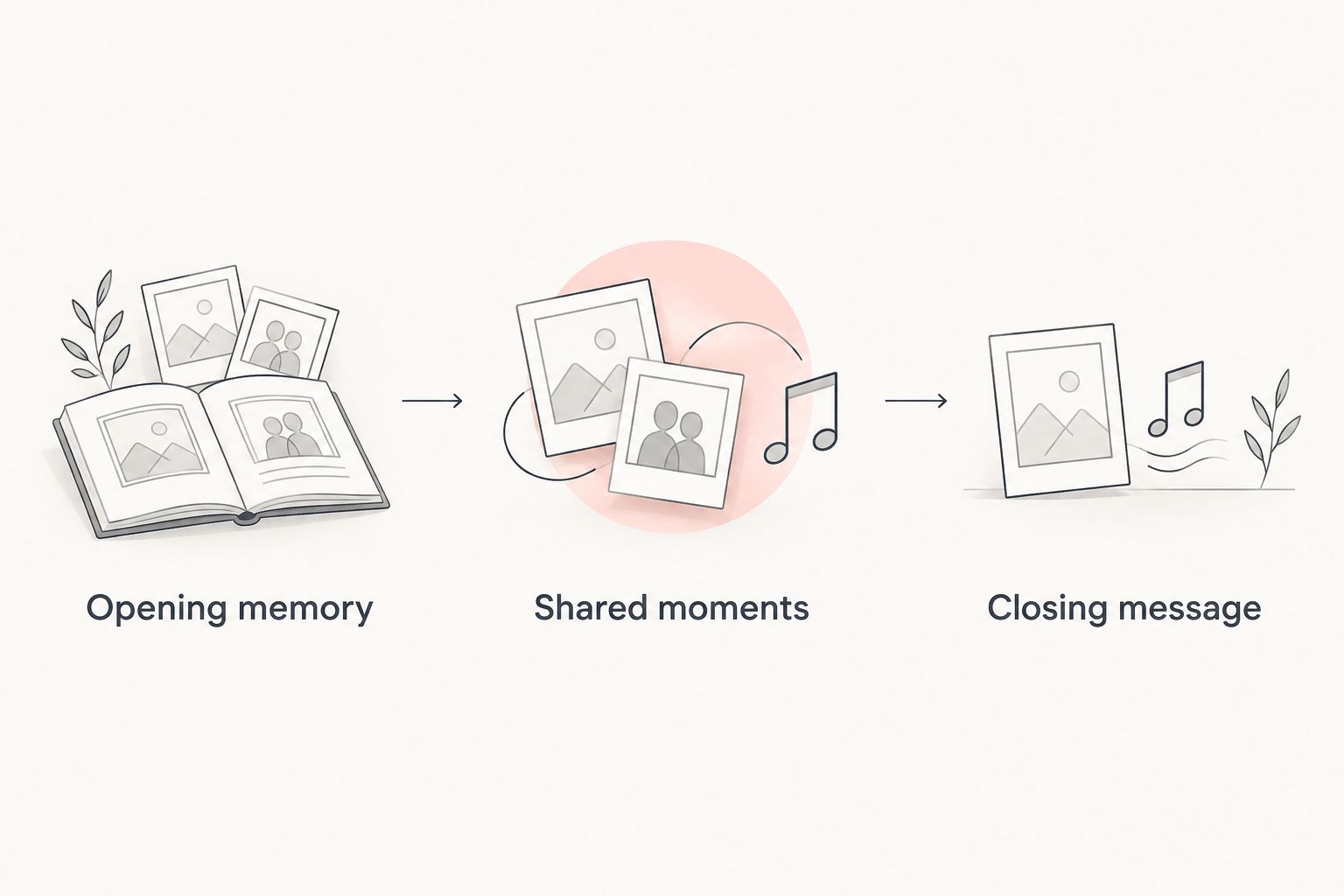
Give the photos and song the same narrative order before designing the book.
Recording approval and book layout
Approve the song before committing lyric-based pages to print. Drafting the book early is useful; treating draft wording as final is not.
- Check the recording against the brief. Listen for names, pronunciation, factual details, emotional tone, and any subject you asked the writer to avoid. Use the provider's stated correction process where applicable.
- Confirm permitted uses. Check the song service's terms before reproducing lyrics, distributing the recording, or placing the gift online. Receiving an audio file does not by itself establish permission for every use.
- Choose the book's reading order. Arrange the approved photos around the opening memory, shared moments, and closing message. The reader should understand the sequence without needing exact musical timing.
- Write captions that add meaning. Describe why a scene matters instead of repeating everything visible in the photograph. Use lyric excerpts only where permitted and only after checking them against the approved version.
- Reserve a listening page. Include a brief invitation to scan the code and play the song while reading. Leave space for the QR code and a readable fallback address if the chosen destination provides one suitable for printing.
- Review the editor's print guidance. Keep important faces, captions, and the QR code clear of trim and binding areas. Resolve any image-quality warnings using the printer's requirements rather than an assumed universal resolution.
Expected result: the editable book contains approved wording, a coherent photo sequence, and a designated listening page.
For your 2026 gift, treat the printer's preview as a separate approval step. A correct caption in your notes can still sit beside the wrong photograph in the layout. Review the book page by page rather than checking only the cover.
Avoid assigning every page to an exact second of the song. A physical book has no automatic playback synchronization, and readers turn pages at different speeds. Match emotional sections instead.
Listening destination and QR connection
This setup uses Google Drive as a file destination, not as a custom song service. Choose the sharing model before generating the code.
- Upload the approved audio. In Google Drive on the web, select New, then File upload, and choose the final recording. Give the file a recognizable name that does not expose unnecessary personal information.
- Open the sharing settings. Select the uploaded file and open Share. Under General access, choose the access level appropriate for the gift.
- Set recipient permissions. For link-accessible sharing, choose Anyone with the link and keep the role as Viewer. For private sharing, keep Restricted and add the intended recipient through the sharing dialog.
- Copy the destination. Select Copy link, then Done. Paste the link into a private browser window and check the access behavior before making a QR code.
- Generate the code from that exact link. Use the QR generator's URL input, then download an image suitable for the book editor. Inspect the encoded destination; do not substitute a link to your own file-management screen.
- Add the code to the listening page. Keep it square, uncropped, and visually distinct from the surrounding design. Preserve the clear border around the code rather than placing decorative elements against it.
- Test the full handoff. Scan the code from a sample print, open the destination, and play the audio on a phone that is not already signed into your account. For restricted sharing, test using the authorized recipient's access arrangement.
Expected result: scanning the printed code reaches the approved recording under the permissions you intended.
A successful scan is not a successful listening test. Confirm playback, not merely that a browser opens. If the recipient must download the file to listen on their device, explain that step on the listening page or choose a destination that better fits the intended experience.
For more detail on the printed connection, use the custom song to QR code gift workflow. In this 2026 setup, the destination remains the important asset: a printed code cannot repair permissions or restore a deleted file.
Second variant: update the listening destination after gifting
An anniversary book can remain a finished object while its listening destination gains another recording or a written message. Choose this variant before printing, because a code pointing to one file does not automatically become a code pointing to a collection.
| Workflow | Best for | Advantage | Limitation |
|---|---|---|---|
| Fixed recording link | A completed wedding, birthday, or memorial gift | Keeps the listening choice focused on one approved song | Later additions require a separate destination or another link |
| Editable collection link | A relationship keepsake intended to grow | Lets you add material at the destination without changing the printed code | Requires ongoing organization and permission checks |
To build the editable variant, create a Google Drive folder and place the approved recording inside it. Open the folder's Share dialog, choose the intended access under General access, and use Copy link to obtain the folder destination. Create the QR code from that folder link instead of the individual audio file.
Name the original recording clearly so future additions do not obscure the song the book was designed around. Check access to the folder and its contents as a recipient; do not assume that every item has the correct permissions merely because the folder opens.
Keep the printed story fixed and the optional extras separate. For a 2026 anniversary gift, a later message can complement the original book without making its captions inaccurate. The editable approach is useful only if you intend to maintain it.
Troubleshooting
The code opens an access-request screen
The destination is restricted, the recipient is using the wrong account, or the account's sharing rules block access. Reopen Share and review General access. Either authorize the correct recipient or use link-accessible sharing if the content is appropriate for that exposure.
The QR code scans on screen but not on paper
Check for cropping, a missing clear border, poor contrast, or softness introduced during export. Replace the code with a clean image and test another sample print at the intended size. Do not send the book to print while relying on the screen test alone.
The link opens, but the song does not play
Try the file directly on the recipient's device and check whether downloading it allows playback. If the file itself is unusable there, obtain a compatible version through the song provider's available process or move a permitted copy to a suitable destination. Retest before changing the book.
The book contains lyrics from an earlier draft
Compare every quoted line against the approved recording and any authorized lyric text. Correct the editable layout, then inspect the exported preview again. Approval of the audio and approval of the printed book are separate tasks.
The song disappears after files are reorganized
Check whether the linked item was deleted or its permissions changed. Restore access where possible and scan the printed code again. Keep the gift destination separate from folders you routinely clear or reorganize.
Customize your workflow
Adapt the story structure before adding more technical features. For a wedding, organize the book around the relationship rather than a list of event photographs. For a memorial, verify names and captions with someone who knows the family story, and choose language the recipient is comfortable receiving.
Keep a recovery copy of the gift. Save the approved audio, the editable book project, the final print file, and the QR image together in your own records. Record which destination the printed code uses so you can investigate a broken connection later.
Custom Song Reviews supports the custom song service comparison stage; your provider's terms and your printer's specifications govern the finished materials. Recheck both for the actual 2026 order rather than carrying assumptions from a previous gift.
FAQ
How do I make a custom song paired with photo book gift?
Build the song and photo book from the same story brief, approve the recording, and add a tested QR code linking to the audio. Finalize lyric captions only after checking the approved wording and permitted uses.
Can a photo book play a custom song automatically?
A conventional printed photo book does not play audio automatically. A QR code connects the pages to a recording that the recipient opens and plays on a separate device.
Should I finish the photo book before ordering the song?
Draft the photo sequence first, but wait for the approved song before finalizing lyric-based captions. This keeps changes to the recording from creating mismatches in the printed book.
Does the recipient need a Google account to hear the song?
A Google Drive file shared as Anyone with the link does not require recipient sign-in for access, subject to the account's sharing restrictions. Restricted sharing requires the recipient to satisfy the access settings you selected.
Can I print the custom song lyrics inside the book?
Print lyric excerpts only when the applicable terms or rights holder permit that use. Check the approved lyrics before inserting them, and do not assume that receiving the recording grants unrestricted reproduction rights.
Can I add another song after the photo book is printed?
You can add another recording if the printed code points to an editable collection you control. A code pointing directly to one audio file does not automatically include other files.
Which custom song service should I use for a photo book gift?
Choose a service whose stated creative process and permitted uses fit your gift. Custom Song Reviews helps you compare custom song services; confirm the chosen provider's current terms before building the book around its recording.
What should I test before printing the photo book?
Test the QR code from a sample print and play the song as the intended recipient would. Also inspect photo placement, caption accuracy, trim areas, and the final listening instructions.
One last thing
The most useful backup is not a second decorative QR code. It is a saved copy of the approved recording and a clear record of where the first code leads.
Before giving the book, ask someone outside your account to follow the listening instructions without help. If you need to explain a missing step aloud, put that step on the page. The gift is ready when the recipient can use it without you operating it.